

Earnings analytics · live tip capture
Know what you earned, and who earned it for you
One dashboard for everything you earn — cam sites and subscription platforms together, de-duplicated so a re-imported export never double-counts. A browser extension collects it for you, so you are not retyping spreadsheets.
- No card required
- No cam-site password
- Overlay included
Sign-up is handled by JBS Productions, the studio that builds SpicyMetrics. One account covers this dashboard, the overlay builder and the free tools.
How it works
Earnings can arrive three ways, and most people end up using all three without thinking about it. The automation is part of the free account, not an upgrade.
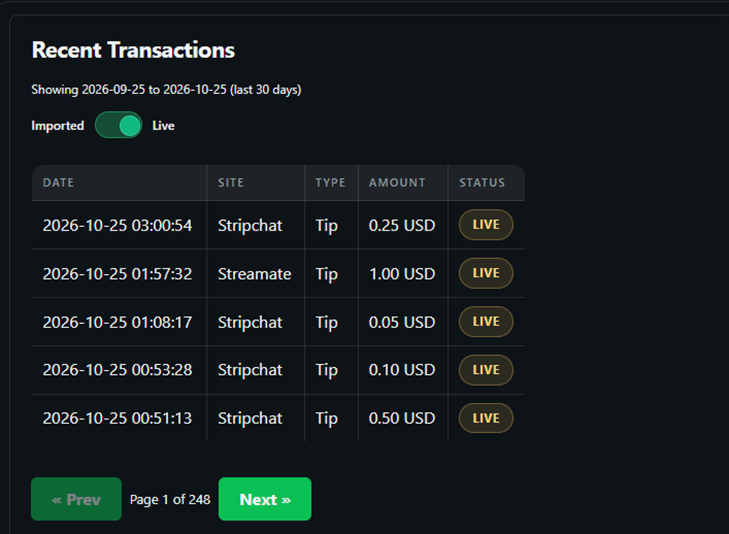
- Live, as it happens. Install the JBSP Live extension and stream as normal. It reads the tip and chat events your browser is already showing and records each one against the day, the site and the spender — no password handed over, nothing scraped from behind a login.
- Backfill, for what came before. The extension can also pull back through the earnings history your sites make available, so the dashboard is populated without you re-typing months of figures by hand.
- Manual import, for the gaps. Anything your sites do not expose can still be covered by importing the earnings export you already download. Imports are de-duplicated, so overlapping with the automated data never double-counts.
What the free account shows
- Live tip capture and backfill from the extension, included
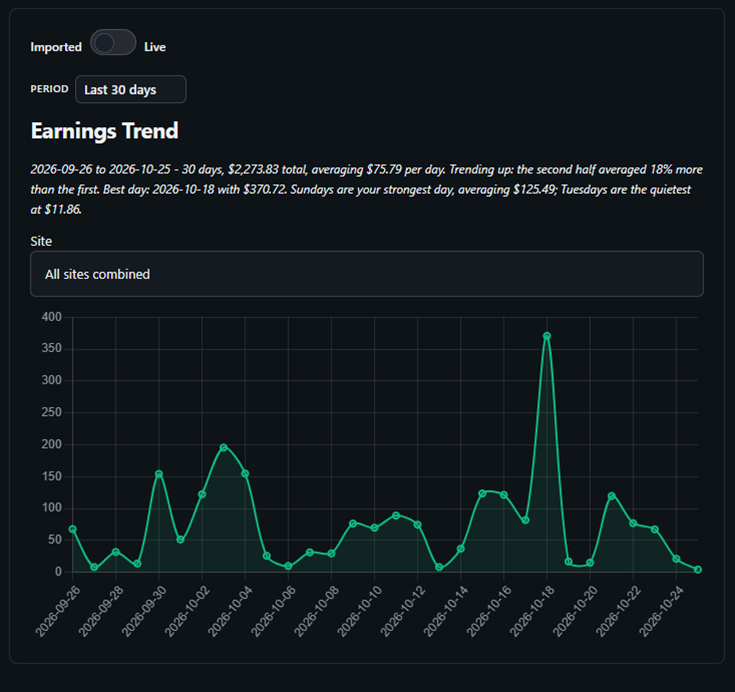
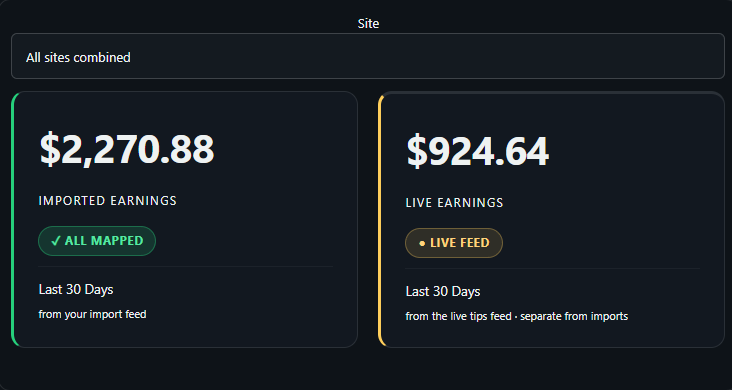
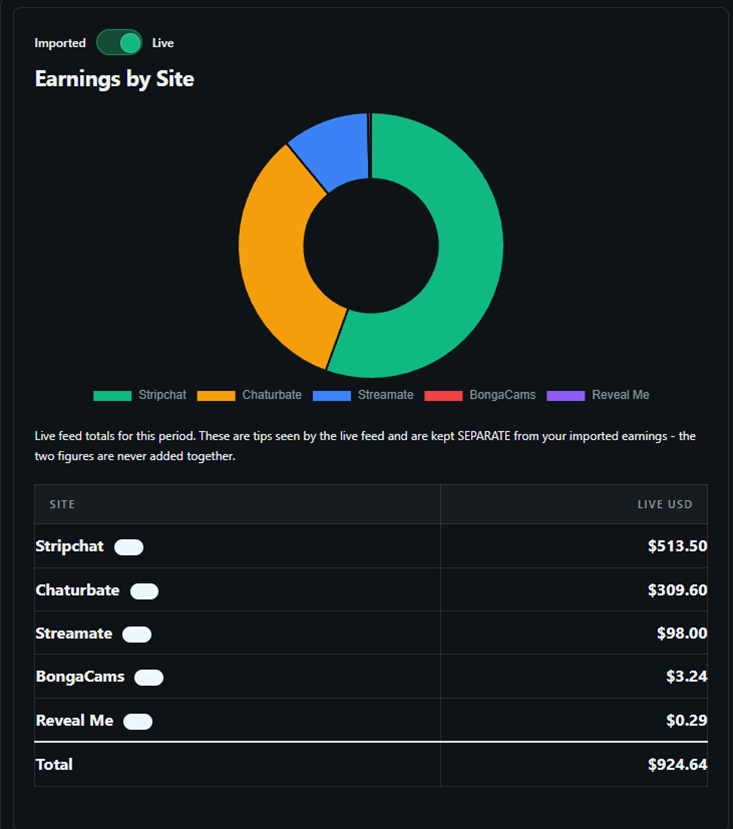
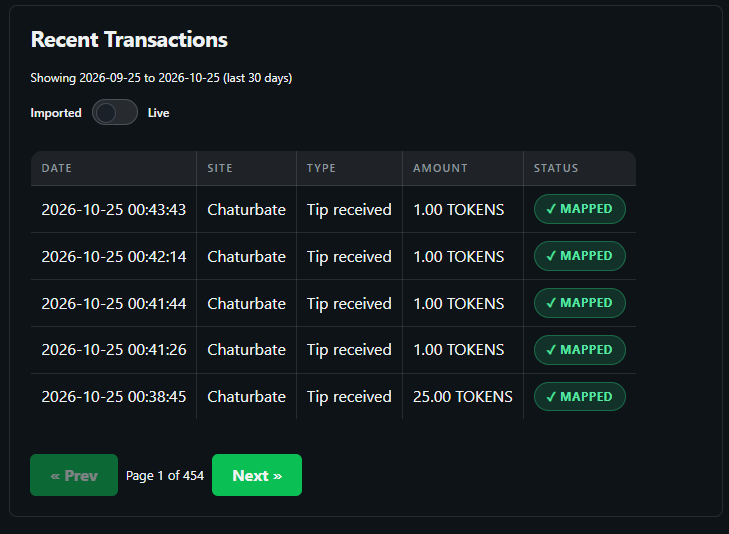
- The last 30 days of earnings, with imported and live totals kept separate
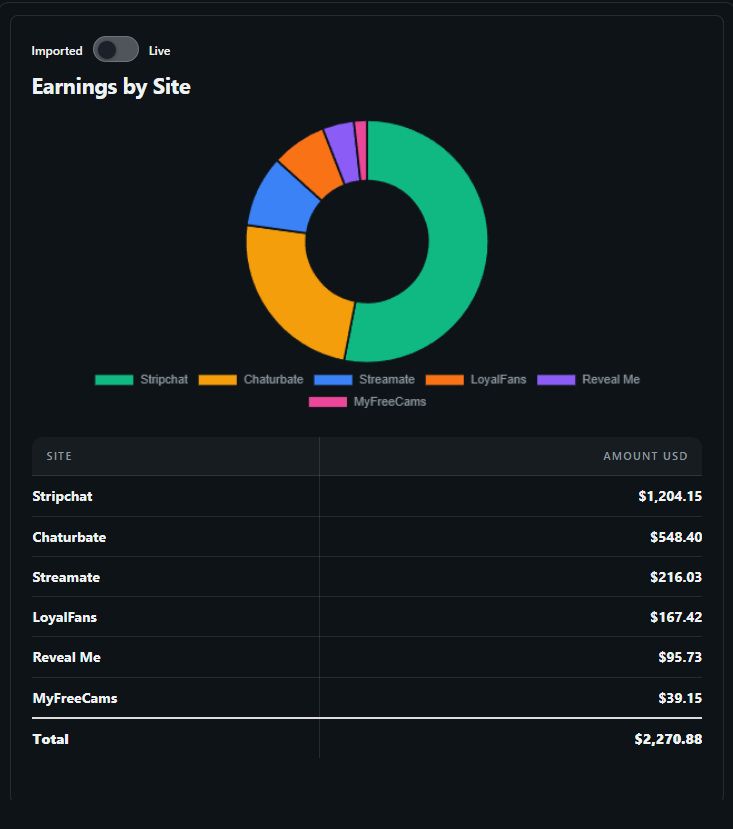
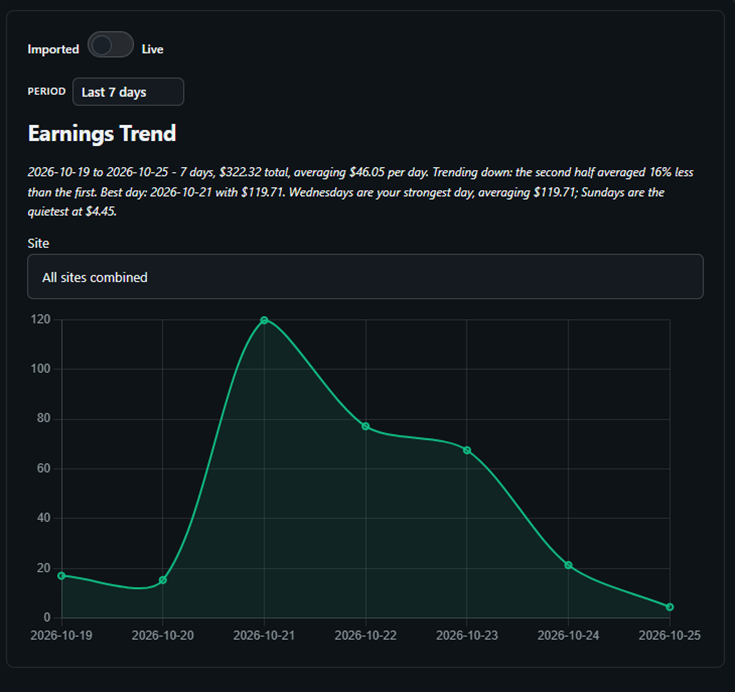
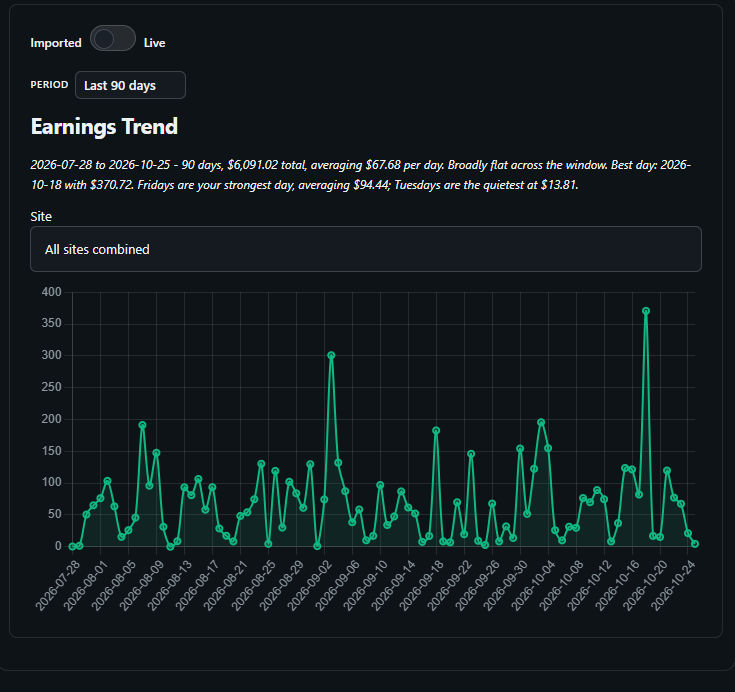
- Earnings by site, so you can see which platform carried the month
- Your five most recent transactions
- De-duplication on import — re-uploading the same export never double-counts
- An unmapped transaction queue, so a new transaction type never quietly disappears from the totals
What Pro adds
Pro is depth, not access. The collecting and the dashboard are already yours.
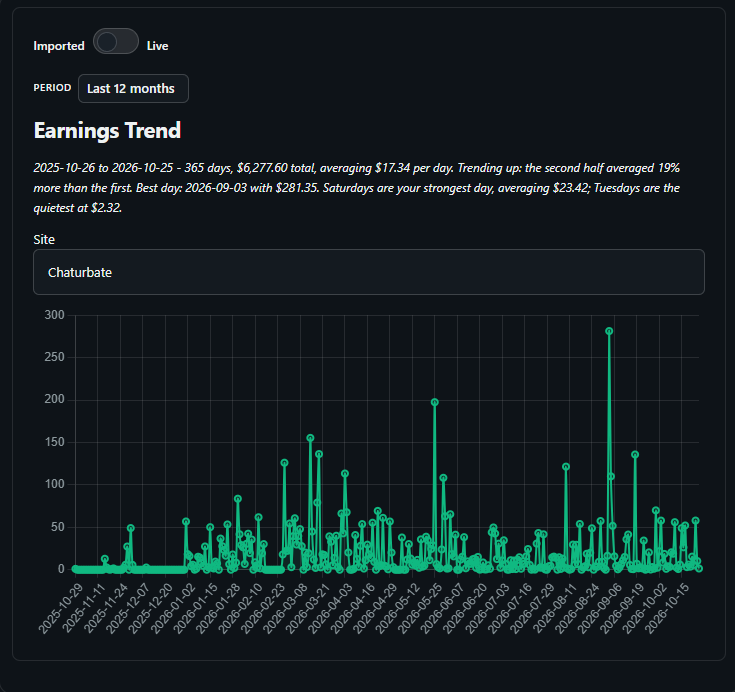
- Full history — every month you have ever imported or backfilled, not just the last 30 days
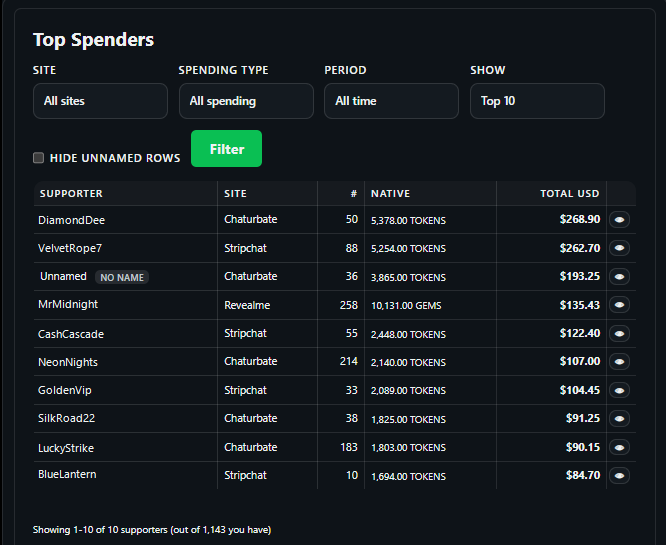
- Big spenders — the top spenders table, filterable per site, with the full transaction history behind any name
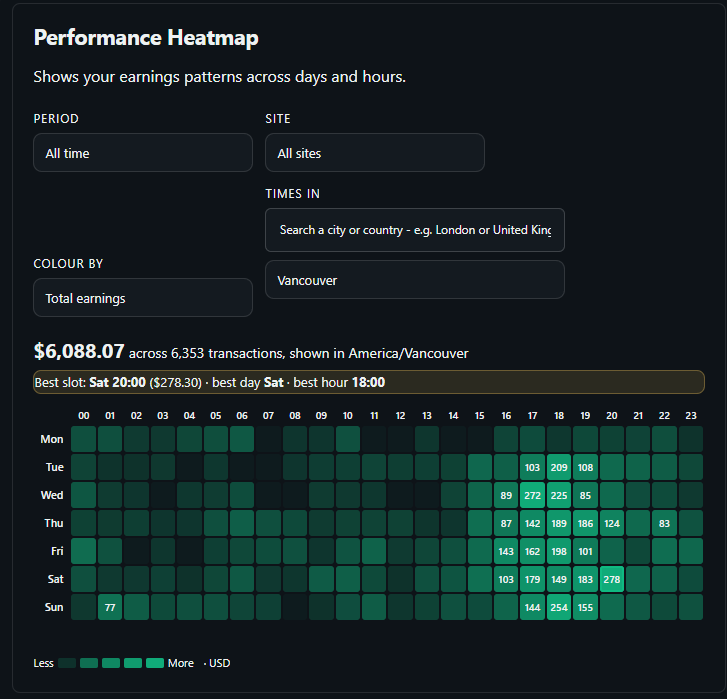
- Heatmap — when you actually earn, by day and by hour
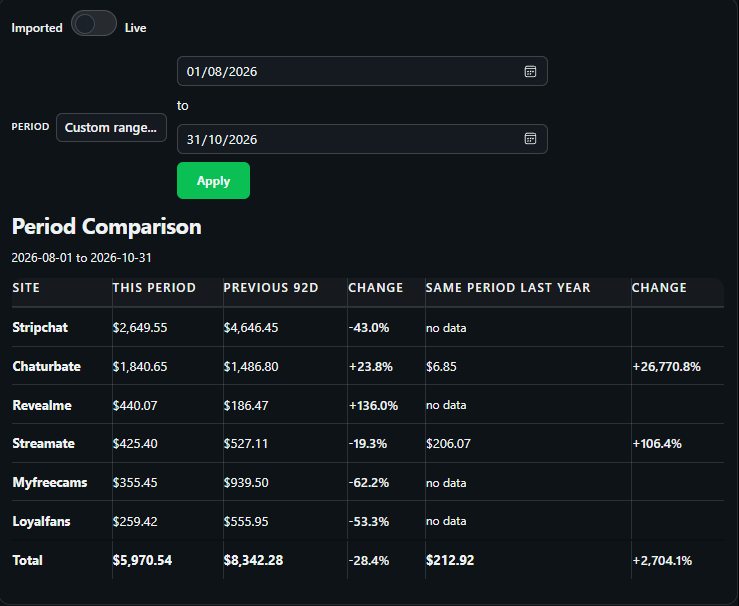
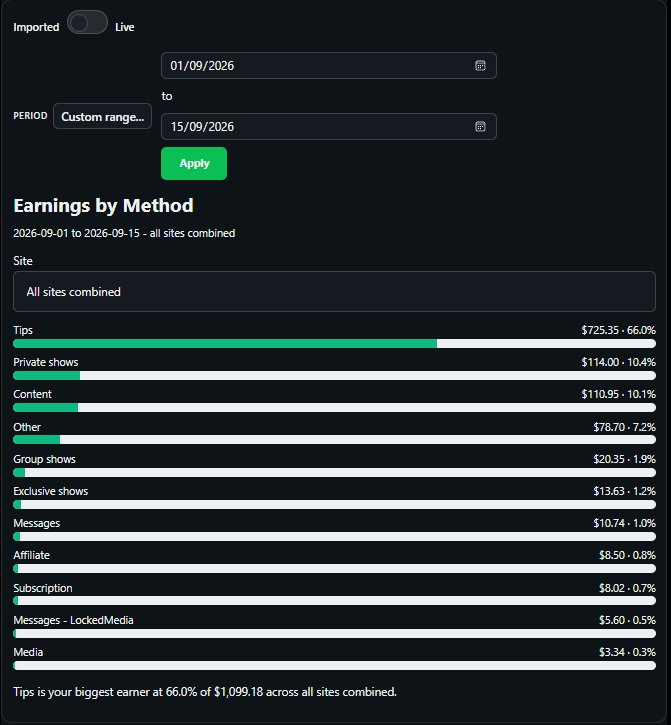
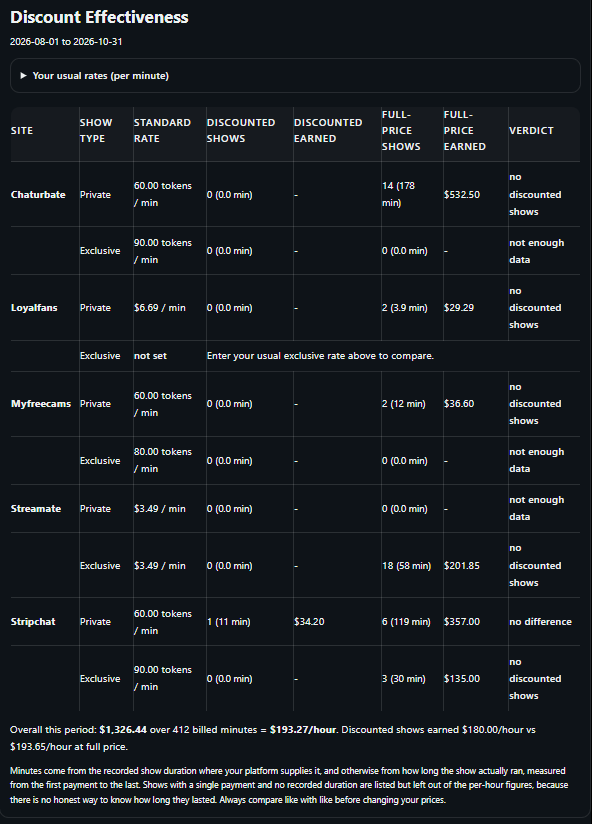
- Advanced analytics — breakdowns by content type, period comparison, per-show economics
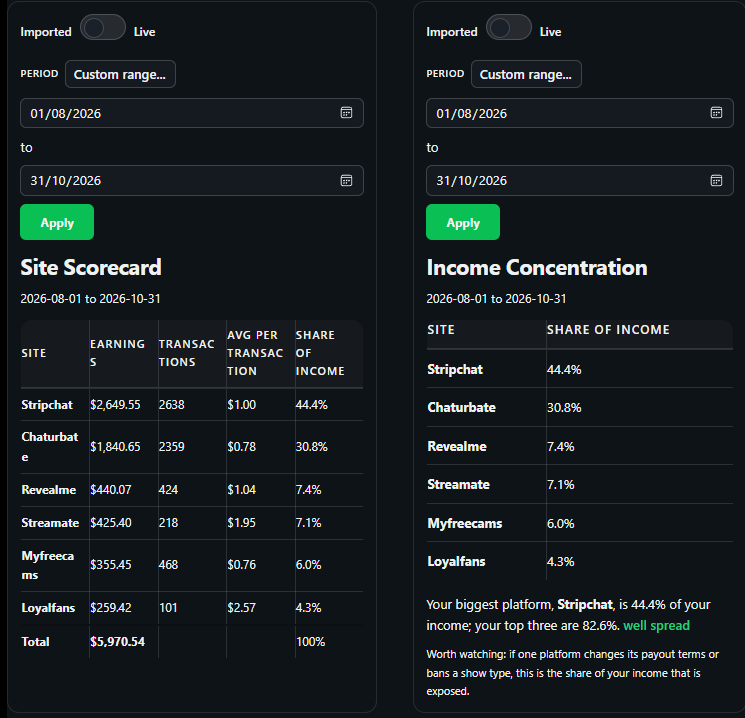
- Site scorecard and concentration risk, so you can see how exposed you are to one platform
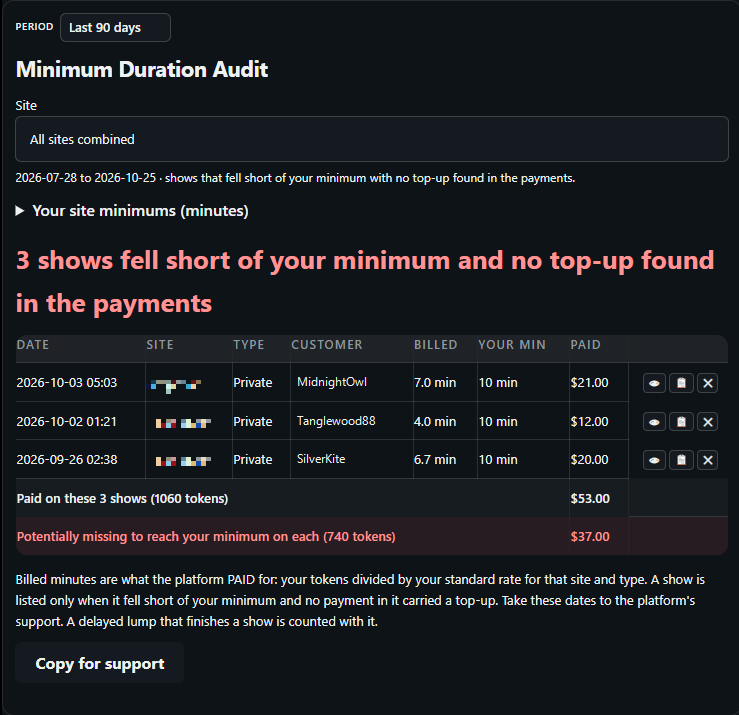
- Underpaid show audit — private and exclusive shows that fell short of the site’s guaranteed billed minimum
- All My Links Pro and Brand Protector scans, included with the subscription
The audit that finds money you are owed
Private and exclusive shows are supposed to be billed against a guaranteed minimum. When a show ends early or the timer misfires, that minimum does not always land — and nobody tells you.
The underpaid show audit goes back through your transactions and flags the shows that fell short, so you have the list to claim against instead of a suspicion.
Included in Pro.
Compare periods, and test your pricing
Sites it covers
Chaturbate, Stripchat, Streamate, MyFreeCams, BongaCams, LoyalFans, Fansly, RevealMe — with more being added
Questions worth asking before you trust a tracker
Do I have to give you my cam-site password?
No, and you should not give it to anyone who asks. The extension reads the page your own browser is already displaying, so no site sees a third party logging in as you. Imports use the export files the sites give you.
Where does the data live?
In your JBS Productions account, alongside the overlay builder and the free tools. One login covers all of it, and you can export or delete what you have imported.
Is the automatic collection a paid feature?
No. Live capture and backfill are part of the free account. Pro is for history, spender-level detail and the reporting modules.
Do I have to use the extension?
No. It is the fastest way to keep the dashboard current, but manual import works on its own and needs nothing installed.
Is the free tier a trial?
No. Free stays free and shows your last 30 days indefinitely.
Start with a month of your own numbers
Import your past earnings exports and the dashboard fills in the history you already have, or install the extension and simply stream as you normally would — then check back on the month it recorded. Either way, the numbers are the test.