
Out now
The JBSP Spicy Live Overlay system is live — and it is completely free
Live tips, alerts, goals, a subathon timer and three games, all driven by real tips from your own stream. Nine months and hundreds of builds to get here. No tiers, no trial, no watermark — the whole thing, free to use.
- Free, permanently
- No watermark
- No OBS plugin
- Works in your browser
What you get
Live tips
Tips straight from your browser
Our own browser extension pipes real tips into your overlay the moment they land. No third-party services, no copy-pasting links, nothing to keep in sync by hand.
It reads your own logged-in session on each site, so there are no cam-site passwords to hand over to us.
Alerts
Fully customisable tip alerts
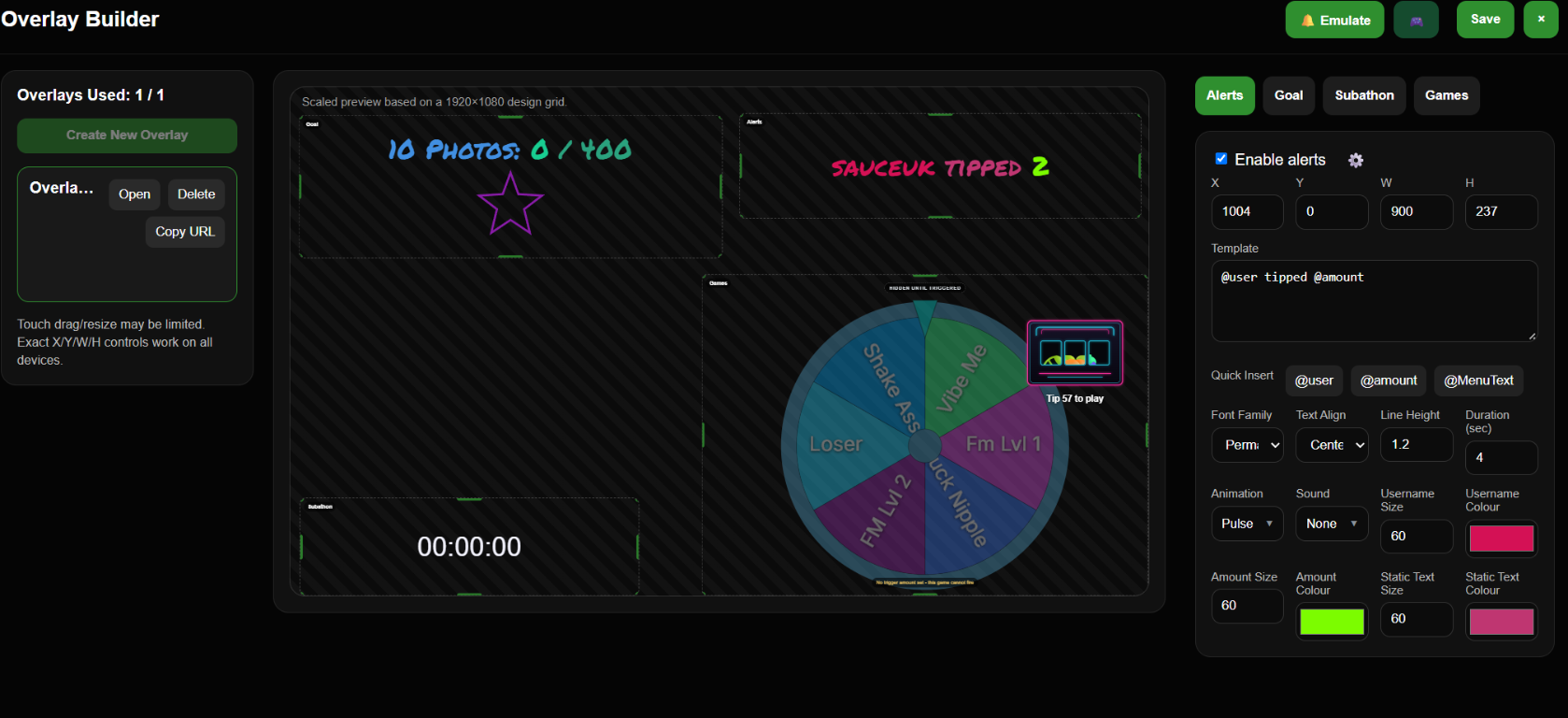
16 built-in fonts across display, handwritten, serif and block styles, plus your own colours, sizes, line height, duration and layout. Write the message once and drop @user, @amount and @MenuText where you want the dynamic parts.
Goals
Goal bars that fill on stream
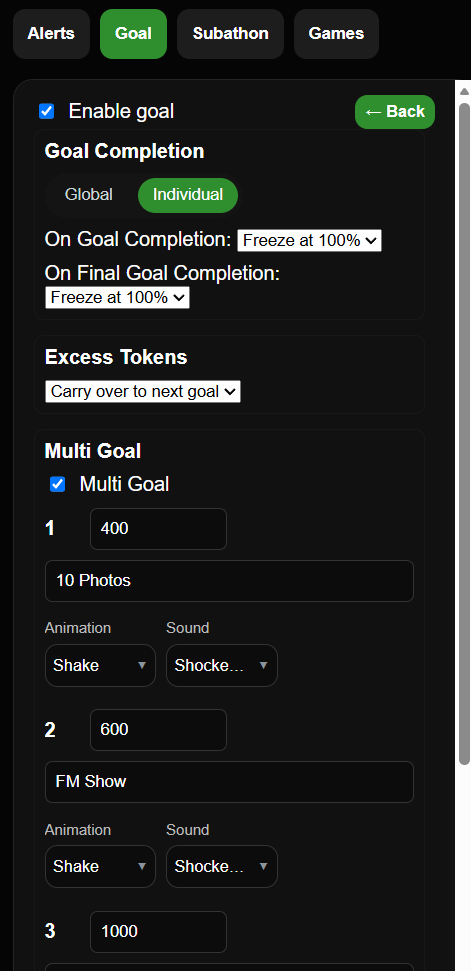
Animated star, heart and jar fills, driven by tips. Made for multi-streamers: it combines tips from several sites towards one target, and it supports several goals at once, each with its own amount, animation and sound.
Subathon
A timer that tips feed
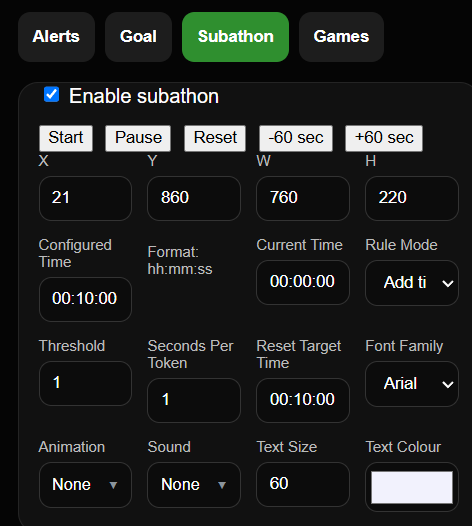
A running countdown that adds time as tips come in. Set seconds per token, a threshold, a reset target, and which animation and sound fire when it moves — then start, pause and reset it from the controller.
Games
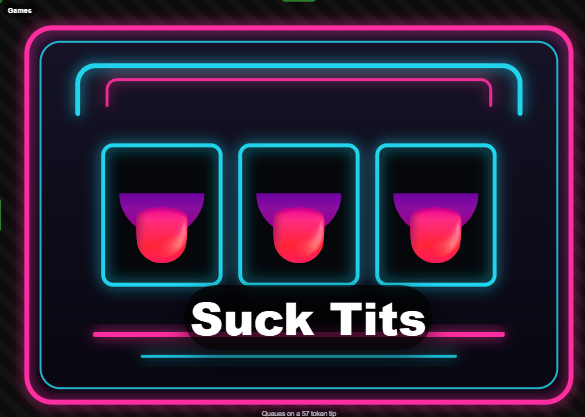
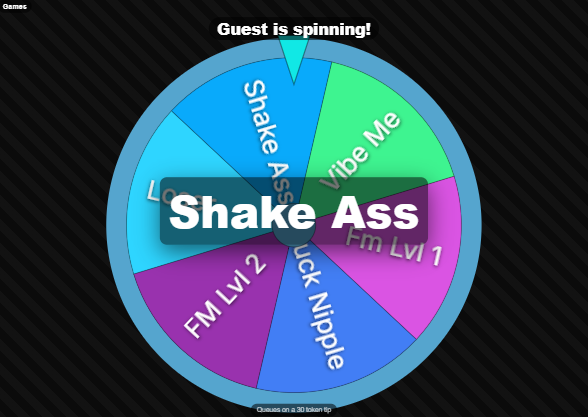
Three games, and none of them are a tease
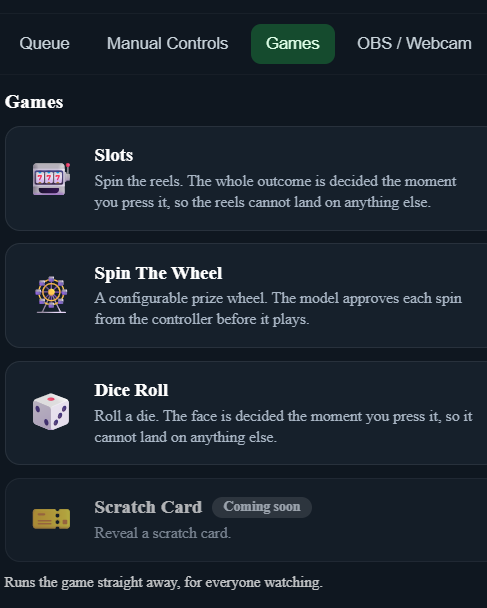
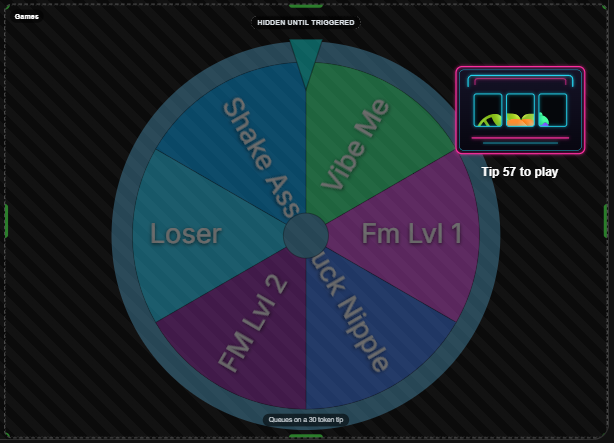
Spin The Wheel, Emoji Slots and Dice Roll are all included free. A tip of the right amount queues a game, and you approve every one from the controller before it plays — so the outcome can never surprise you on stream.
Sounds & animations
16 built-in sound effects
Spread across reward, celebration, impact and comedy, with per-sound volume and a master control. Pair them with the built-in animations to make the whole thing sound and move like yours rather than ours.
Builder
Design it, then paste one URL
Drag-and-drop editor with exact X/Y/W/H controls when you want them. When it looks right, copy the URL into an OBS Browser Source. Nothing to install into OBS, nothing to configure inside OBS itself.
Lovense
Lovense support baked in Included
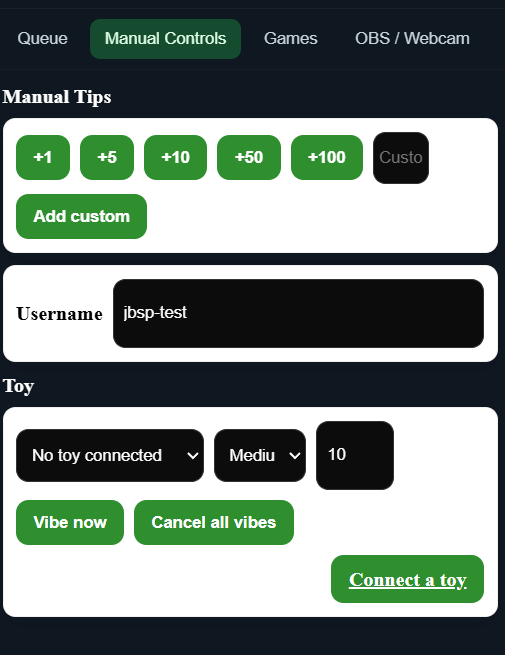
Connect a toy from the controller and fire vibration levels on your own terms, or attach them to tip amounts so the tip itself does the work. Manual controls are one click away when you want them.
See it in action
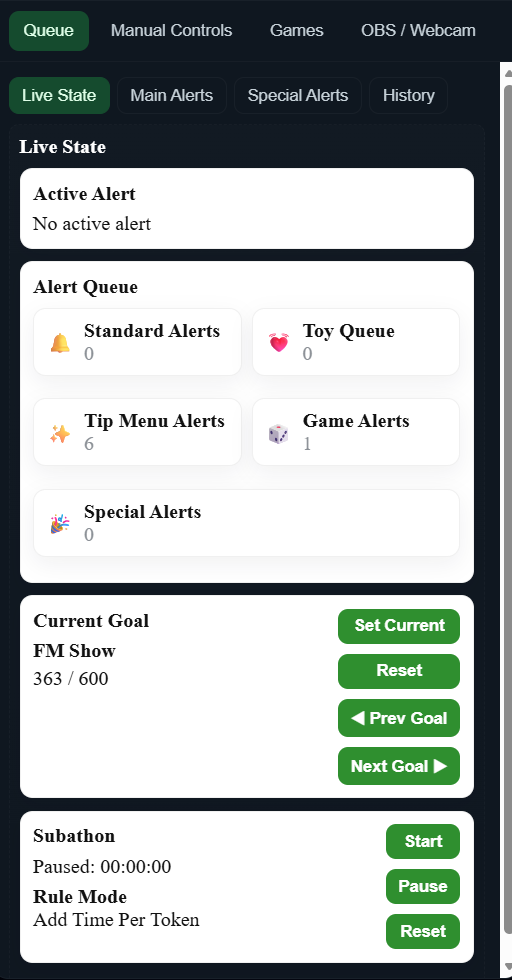
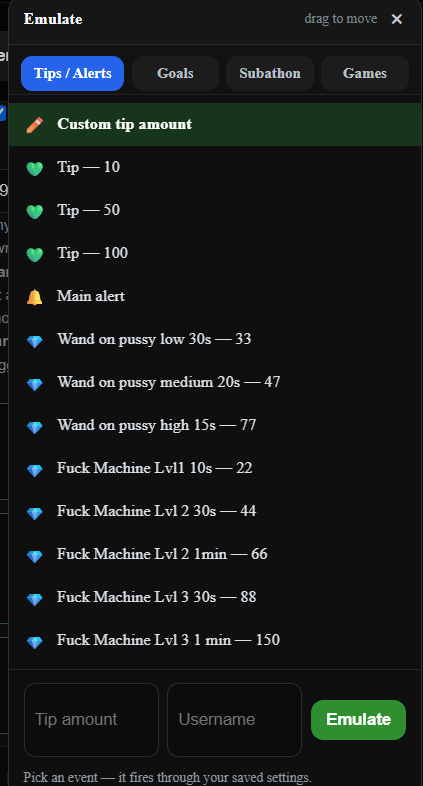
Real screens from the running system, not mockups: the builder, the controller you keep open while streaming, and the settings behind each part.
Works with the sites you already stream on
Live capture covers six sites today, with more on the way. Everything else still works: the controller has manual tip buttons and a custom amount box, so nothing is ever blocked on a site we do not cover yet.
- Chaturbate
- Stripchat
- BongaCams
- Cam4
- CamSoda
- Reveal Me
- more being added
Multi-site by design. Goals and totals combine tips across every site you are streaming on at once, so a goal is a goal, not a per-site number you have to add up in your head.
Set up in three steps
- Create your free account Register, then open the overlay builder. Your overlays, settings and controller live in your account, so they follow you to any machine.
- Build and save it Place the alert, goal, subathon timer and games on the design grid, then set the fonts, colours, sounds and animations. Save when it looks the way you want it.
- Paste the URL into OBS Copy the overlay URL and add it as a Browser Source in OBS. That is the whole OBS side of it — no plugin, no scene fiddling.
Install the controller as an app — optional, but worth it. Open the controller in Chrome on your phone or desktop and use the install icon in the address bar, and it becomes a proper app with its own icon on your home screen or desktop. While you are live it takes the fiddly jobs off the keyboard: working through your tip and event queues, firing manual tips, and running games by hand — one tap and the controls are up, instead of hunting for a browser tab mid-stream. That is how most people run it while streaming.
Questions
Is it actually free, or free until I am hooked?
Free. No tiers, no trial period, no watermark, no locked games. The overlay system is free to use for as long as you stream. Our paid product is the analytics suite, which is a separate thing you can ignore entirely if you want to.
Do I need to install anything in OBS?
No. The overlay is a web page, so you add it to OBS as a Browser Source using the URL from the builder. There is no OBS plugin to install and nothing to configure inside OBS.
Do I have to give you my cam site passwords?
No. The browser extension reads tips from your own logged-in session in your own browser. Your site password never leaves your browser and is never sent to us.
Can I use it on more than one site at once?
Yes, that is the point. Tips from every covered site feed the same overlay, and goals combine them towards one target.
What if a site is not covered yet?
The controller has manual tip buttons and a custom amount box, so you can still fire alerts, goals and games by hand. More sites are being added.
Do my settings survive if I change computer?
Yes. Overlays, settings and the controller are stored in your account, not on the machine you built them on.
Want the analytics too? Paid
The overlay is free forever. If you also want to know what your week actually earned, the analytics suite sits alongside it: every site in one dashboard, imported and live earnings kept separate, top spenders per site with their full history, a heatmap of when you earn, per-show economics, and an audit of shows billed below the site minimum.
Still to come
- Seasonal overlay packs
- More cam sites in live capture
- Scratch Card (the fourth game, in testing)
Questions, feature requests and bug reports are all welcome in our Discord — that is where the roadmap actually comes from. The invite drops you straight into the overlay updates channel, so you see what has shipped and what is coming next.
Free overlays, running on your real tips
Sign up, build one, paste it into OBS. It takes minutes, and it costs nothing.